
Inspections
Built for the inspector in the field.
Inspections are one module of the broader NPDESTracker platform, alongside sites and contacts, notice drafts, printable letters, inspection-linked reply records, follow-up tasks, weather-assisted inspection fields, yearly inspector assignments, GIS context, and annual reporting. The responsive web interface can be evaluated on connected phones and tablets. Loading and saving requires connectivity; device-dependent photo and GPS behavior should be verified during evaluation, and a production offline mode and native field app are not currently offered. The public demo is limited to Dashboard, My Work, Coordinator, Inspections, Sites, Outfalls, Contacts, Organizations, Tasks, Map, and read-only Setup; the full inspection creation flow is walked through on request.
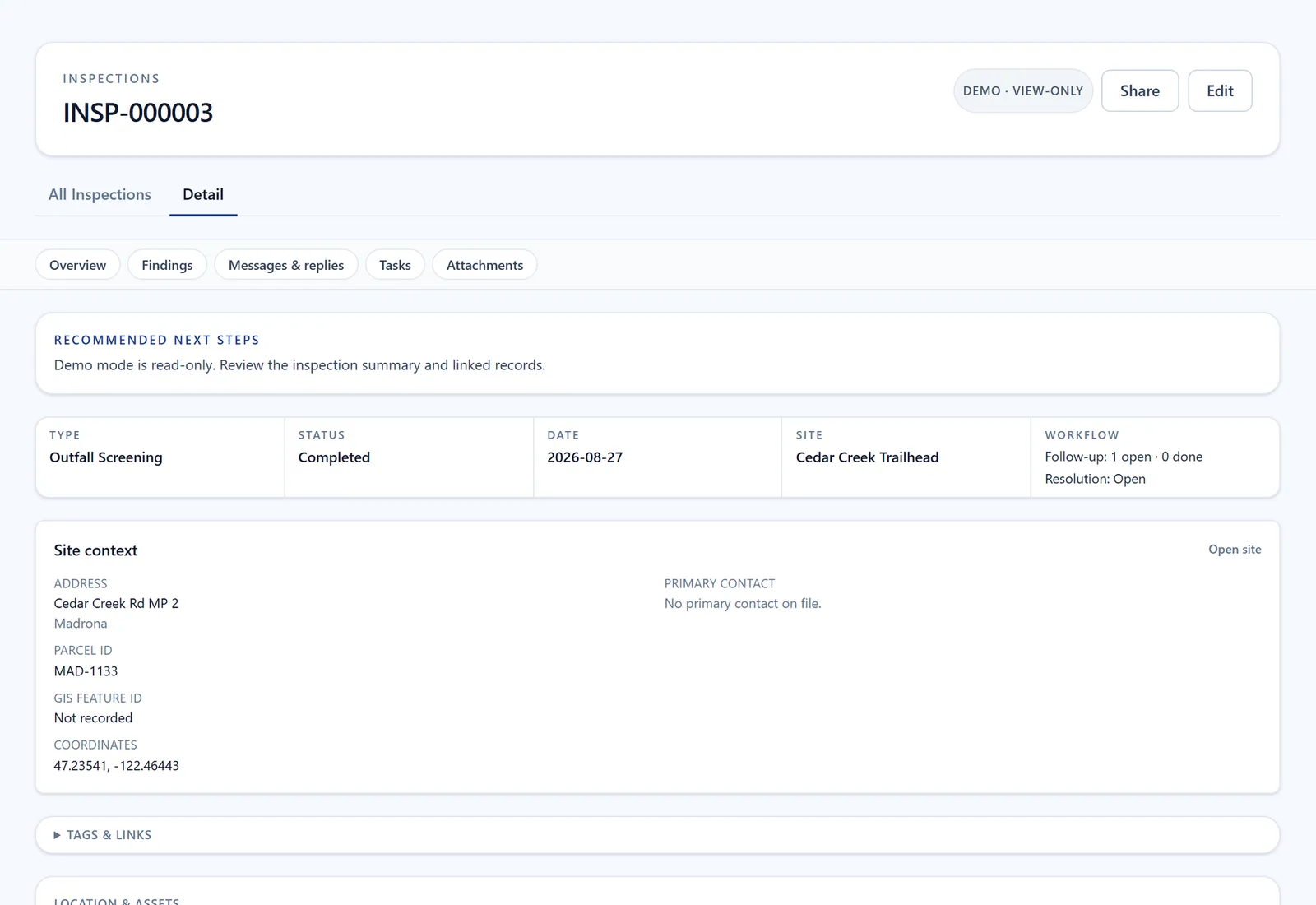
Screen from the public demo on fictional City of Madrona data.
Open Inspections in the demo (opens in a new tab)The record
What an inspection record holds.
One record per inspection, read later by the coordinator and the auditor. The sample output the demo shows is exactly this: an inspection record and the follow-up task it created.
- Its type: routine, outfall screening, construction, O&M, source control, or IDDE, so the form asks the right questions
- Its findings, with the status and date of the visit
- The site and structure it belongs to, with the address, parcel, and coordinates alongside
- Its follow-up tasks, each with an assignee, a due date, and a closeout kind
- Its place in the reporting year
- In a signed-in workspace, the photos, notices, and replies that attach to it
01 · Connected mobile web
Made for the truck, not the desk.
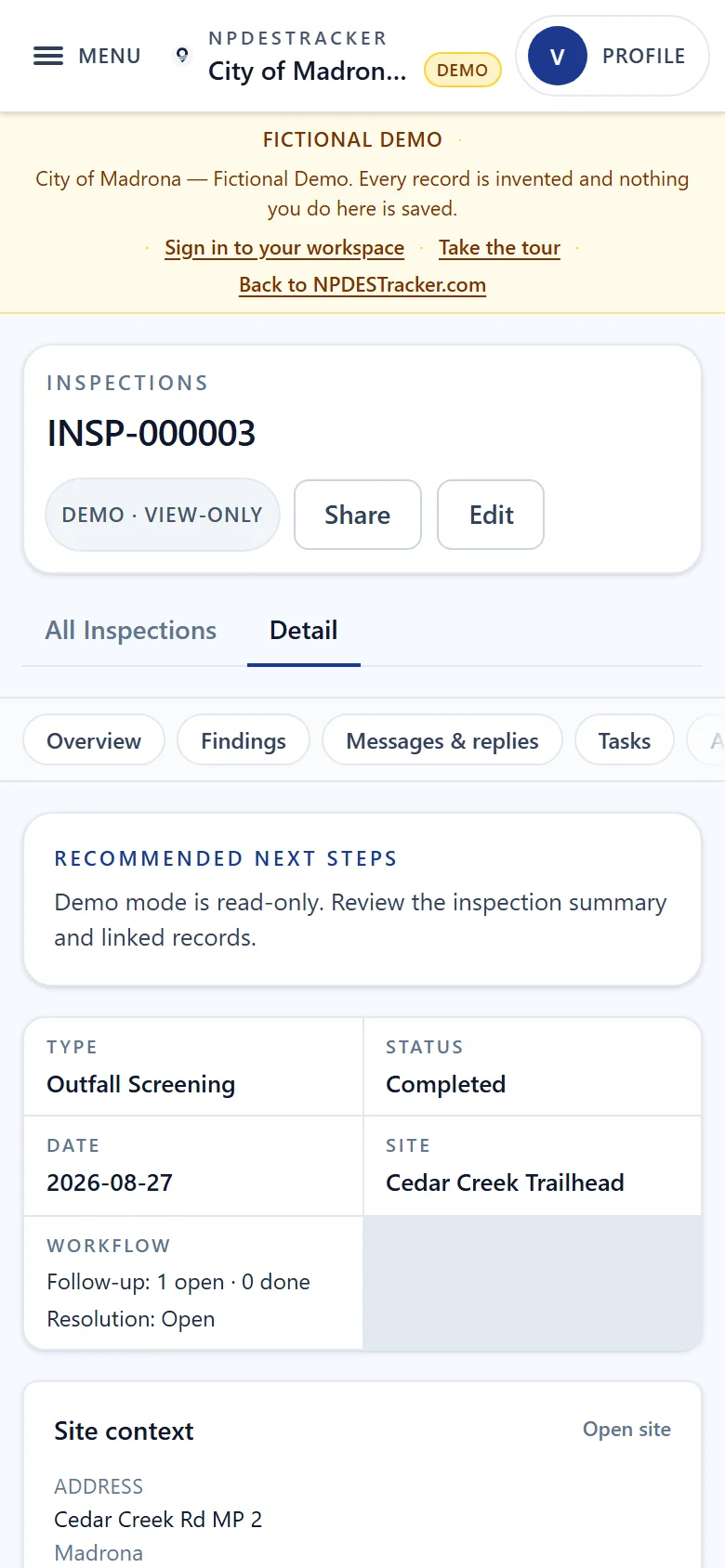
Screen from the public demo on fictional City of Madrona data.
Inspectors are not always at a workstation. The responsive web interface is designed with compact layouts and touch targets for connected phones and tablets. Agencies should test the workflow on their own devices and network conditions during evaluation; loading and saving records requires connectivity.
- Responsive web interface for connected phones, tablets, and laptops
- Mobile-density UI with sticky action cells and tap targets sized for thumb use
- Photo and GPS behavior verified on the agency's devices during evaluation
- Loading and saving records requires connectivity; no production offline mode is currently offered
- One tap to start the right inspection at the right site, with the type prefilled
02 · Site context
Every inspection is tied to a site.
An inspection doesn't live on its own. It's anchored to a site record that knows its address, classification, parcel info, and history. Open a site and you see every inspection, incident, and follow-up that's ever touched it. Open the GIS workspace and the same sites are pinned on the map, color-coded by status.
- Site records carry address, classification, parcel, and ownership
- Inspection history per site, on a clean status timeline
- Linked incidents: IDDE complaints, screening results, source tracing
- Same sites pinned on the GIS map, color-coded by status
- "Open site" from anywhere (list, map, inspection, follow-up) to see the full record
03 · Cadence
The cadence is in the system, not in your head.
Different programs run on different cadences. Construction sites need inspection during active disturbance. Post-construction BMPs are typically annual. Outfall screening follows quarterly dry-weather cycles. Municipal facilities are annual. NPDESTracker tracks the cadence per site and per program, and surfaces what's overdue and due-soon before it becomes an audit finding.
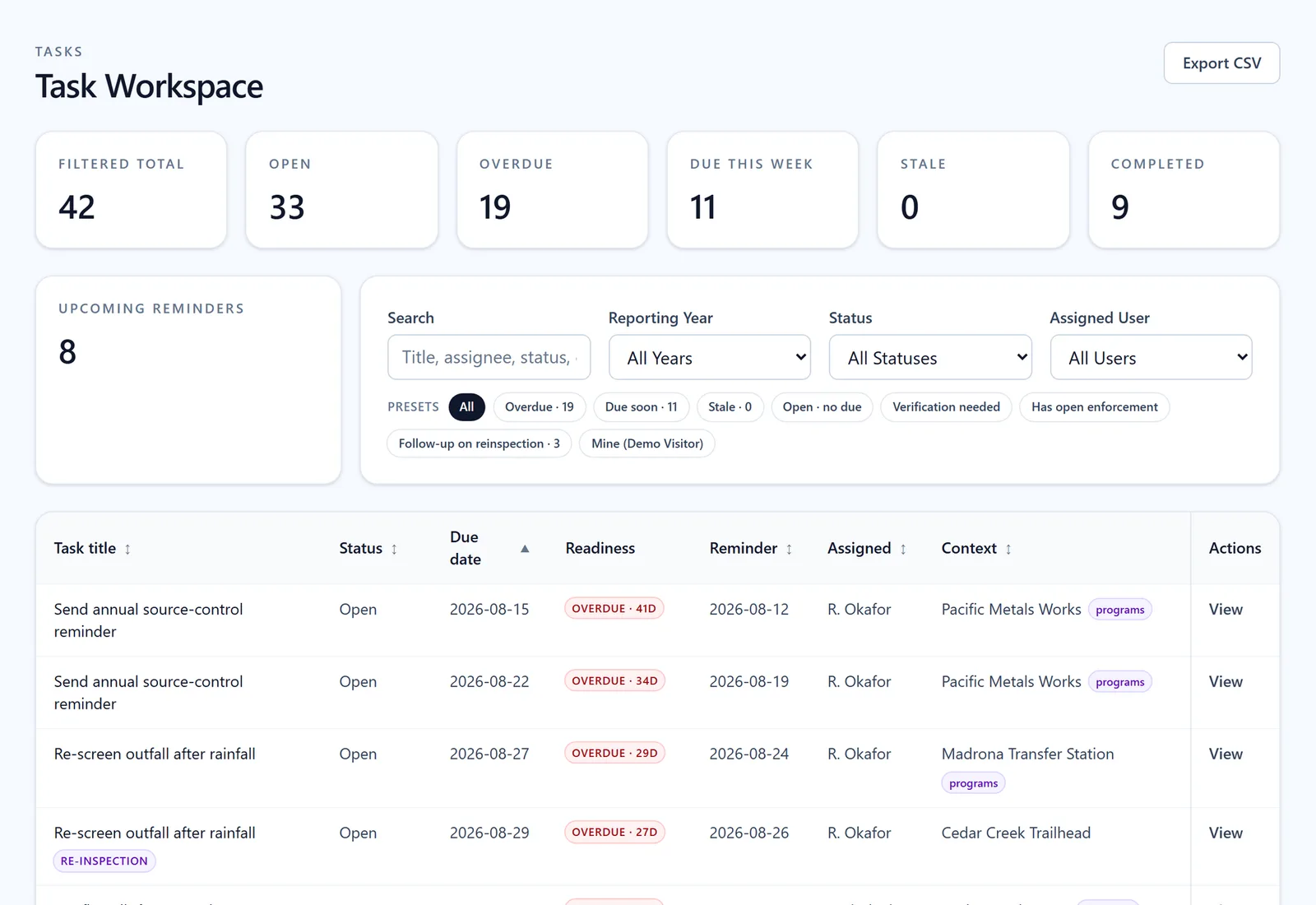
Tasks shows overdue and upcoming work with due dates, reminders, and assigned staff. Use the filters to focus on one person's work or a reporting year. Screen from the public demo on fictional City of Madrona data.
04 · Follow-up & escalation
Findings don't fall through cracks. There's no crack.
A deficient finding spawns a follow-up automatically, with a re-inspection date, an assigned owner, and the photo evidence preserved on the original record. If the finding escalates to a notice of violation or a compliance order, that record links back to the inspection that triggered it and stays linked through closure.
- Deficient findings auto-create follow-up tasks tied to the site
- Re-inspection scheduled with a target date and assigned owner
- Photo and GPS evidence preserved on the original record
- Notices, replies, and follow-up tasks stay connected to the inspection that prompted them
- Draft notices, log replies in the inspection record, and prepare printable notice letters for physical mailing. Email delivery options are confirmed for your agency during setup
- Escalation to a notice of violation or compliance order links back to the source inspection
- Closure status visible from both the site record and the program dashboard
The follow-up tasks an inspection created, each with its assignee, due date and reminder. Screen from the public demo on fictional City of Madrona data.
Open Tasks in the demo (opens in a new tab)05 · How it feeds reporting
Every inspection becomes part of the report, or it doesn't.
When you log an inspection, it counts in the underlying records and rolls into the matching MCM section of the annual MS4 report automatically. No re-keying. No copying numbers between systems. No inflated stats.
If you didn't run the inspection, the report doesn't pretend you did. The full reporting story (counts derived from records, the audit log, and the readiness rollup) lives on the reporting page.
Further reading
- OverviewStormwater inspection software for municipal MS4 programs
- BlogStormwater inspection cadence: monthly, quarterly, annual, and why it matters for your audit
- BlogHow to make an MS4 program audit-ready (without rewriting your spreadsheets)
- BlogHandling illicit discharges from complaint to closure: a working playbook for MS4 coordinators
- BlogTracking post-construction BMPs without losing them: a working guide for MS4 programs
- BlogCatch basin and drainage structure inspections: site work vs structure work, and how to keep both audit-defensible
- BlogPhoto and GPS evidence on stormwater inspections: what auditors actually want to see
Walk the daily flow.
Open the demo at Inspections, then tour Dashboard, My Work, Coordinator, Sites, Outfalls, Contacts, Organizations, Tasks, Map, and read-only Setup, or request a guided walkthrough of this module.