
Demo
Tour a sample MS4 workspace.
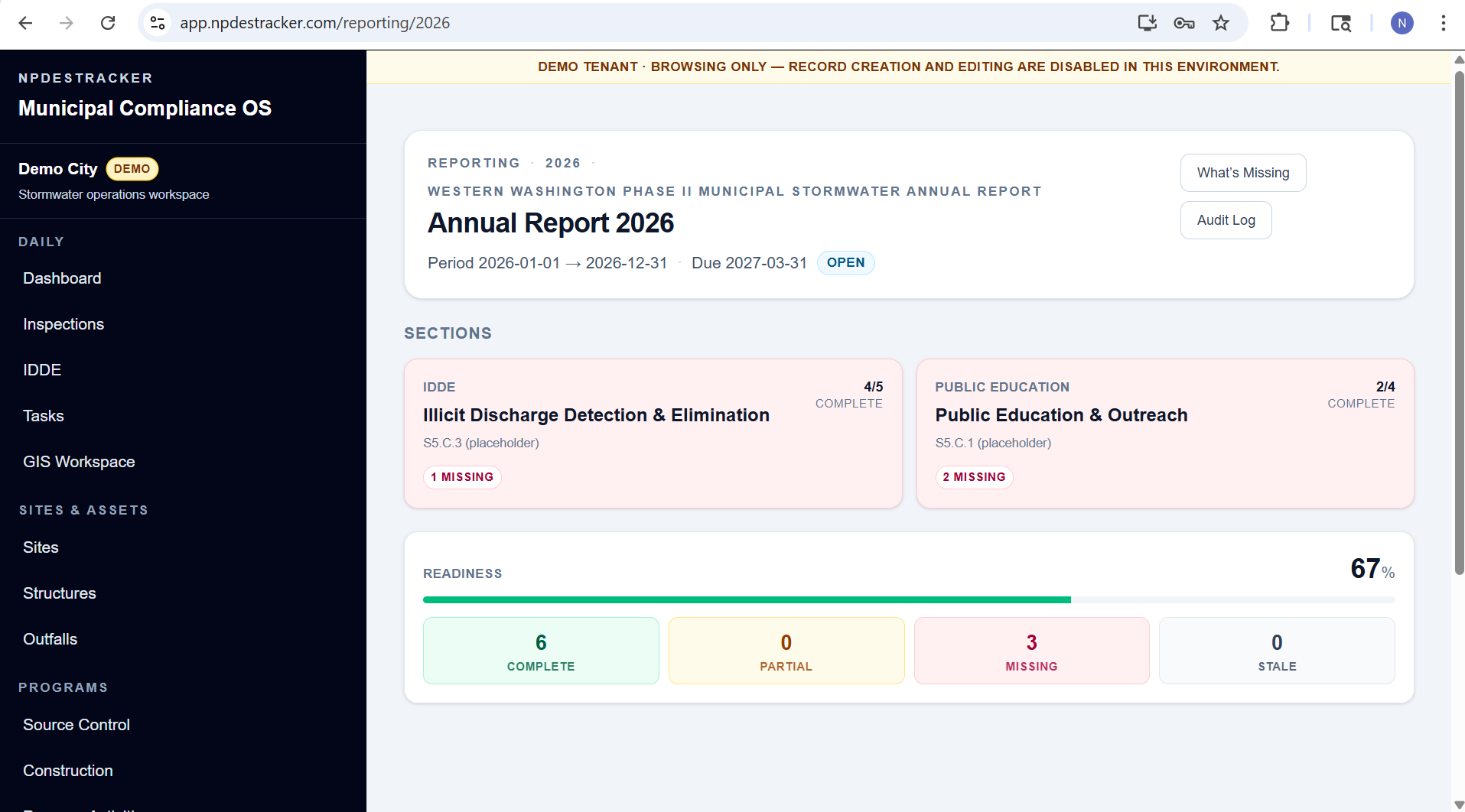
Tour Dashboard, My Work, Coordinator, Inspections, Sites, Outfalls, Contacts, Organizations, Tasks, Map, and read-only Setup on a fully populated, fictional City of Madrona tenant. The demo is read only: open and browse every mounted module, but nothing can be created, edited, saved, invited, imported, connected, or sent. Messages & Notices is locked in the public demo; Programs, Annual Reporting and other expanded modules are shown in guided walkthroughs and customer workspaces.
No signup required. Tour a fully populated, fictional City of Madrona workspace. The public tour is read only: nothing can be created, edited, saved, or sent.
Have a question or spot something that could work better? Share demo feedback or request a private demonstration of annual reporting and notices.
The public sample workspace unlocks Dashboard, My Work, Coordinator, Inspections, Sites, Outfalls, Contacts, Organizations, Tasks, Map, and read-only Setup on fully populated, fictional data. Programs, Annual Reporting, Messages & Notices, interactive creation, notice workflows, weather-assisted inspection fields, yearly inspector assignments, behavior change campaign tracking, reporting evidence, imports, exports, setup changes, and admin workflows are locked and walked through on request. Email delivery options are confirmed for your agency during setup. Email admin@npdestracker.com.
What's in the demo
A read-only workspace tour, on fully populated fictional data.
The demo opens a read-only tour of Dashboard, My Work, Coordinator, Inspections, Sites, Outfalls, Contacts, Organizations, Tasks, Map, and read-only Setup, with prefilled completed records. Nothing can be created, edited, saved, or sent. It uses fully populated, fictional City of Madrona data. Messages & Notices is locked in the public demo; Programs, Annual Reporting and other expanded modules are intentionally outside the public tour.
It is a curated tour. Interactive workflows (creation, editing, drafting, submission, email delivery), admin settings, customer-specific setup, and imports happen in a private demonstration and in customer workspaces, not in the public tour.
- Read-only public tour of Dashboard, My Work, Coordinator, Inspections, Sites, Outfalls, Contacts, Organizations, Tasks, Map, and read-only Setup
- Programs, Annual Reporting, and Messages & Notices are locked, and each says why; they are shown in guided walkthroughs and customer workspaces
- Fully populated, fictional City of Madrona data with completed records only; you cannot create, edit, submit, or send anything
- No signup, live municipal data, email delivery, or agency submission
- Close the tab when you're done. Nothing to clean up.
What to look for
A short walkthrough of what's worth clicking.
The point is to give you a feel for how the public workspace records connect. Here are the areas worth opening if you have a few minutes.
Dashboard
Start on the program dashboard for an at-a-glance view of the fictional City of Madrona workspace.
My Work
Browse the prefilled work assigned to the current sample user. The public tour is read-only.
Coordinator
Review the coordinator view across the fictional program. Assignment and other write actions remain disabled.
Inspections
Open a completed inspection and review its notes, status, findings, follow-ups, and linked evidence. Editing and creation are disabled.
Tasks
Browse prefilled follow-up tasks. Task creation, reassignment, and completion are disabled in the public tour.
Map
Explore fictional City of Madrona sites, outfalls, and drainage structures on the map, then open the Sites and Outfalls modules for the records behind them.
For deeper inspection workflows, imports, admin settings, and customer-specific setup, request a private demonstration.
Want more?
Get a guided walkthrough of the full platform.
The public demo is a read-only tour of Dashboard, My Work, Coordinator, Inspections, Sites, Outfalls, Contacts, Organizations, Tasks, Map, and read-only Setup on fully populated, fictional City of Madrona data, intentionally curated rather than a full implementation. Nothing can be created, edited, saved, or sent; Programs, Annual Reporting, and Messages & Notices are locked.
For a deeper walkthrough of inspections, annual reporting, imports, customer-specific setup, and admin workflows, request a guided demo. Smart Draft remains assistive and review-required in every version, and the public demo does not submit reports or certify compliance.
Next step
Ready to go deeper? Request a private demonstration.
If the demo looks like a fit, a private demonstration shows NPDESTracker on your own program's workflows, live with the NPDESTracker team. It is not a purchase. Annual plans start at $1,499 / year plus applicable taxes and are on the pricing page.
Nothing is purchased and no account is created.
- Your permit framework and the workflows your program runs
- Inspections with photos, follow-up tasks, and notices
- Annual reporting evidence and the printable packet
- Imports, setup, and user roles
- Procurement and IT questions answered on the same call
Or email admin@npdestracker.com with what you want to see.
Annual deployment
Thinking about rolling out across your whole program?
Annual tiers from Small MS4 Essentials up to the Full MS4 Platform are on the pricing page; how-it-works covers onboarding, data handling, and offboarding. For more context on what the sample workspace covers and how onboarding runs, see /docs/getting-started. For a written quote, email admin@npdestracker.com.