MS4 compliance software
Practical MS4 compliance software for municipal stormwater teams.
Keep MS4 inspections, GIS context, follow-up tasks, notices, replies, and annual-report evidence connected in one workspace.
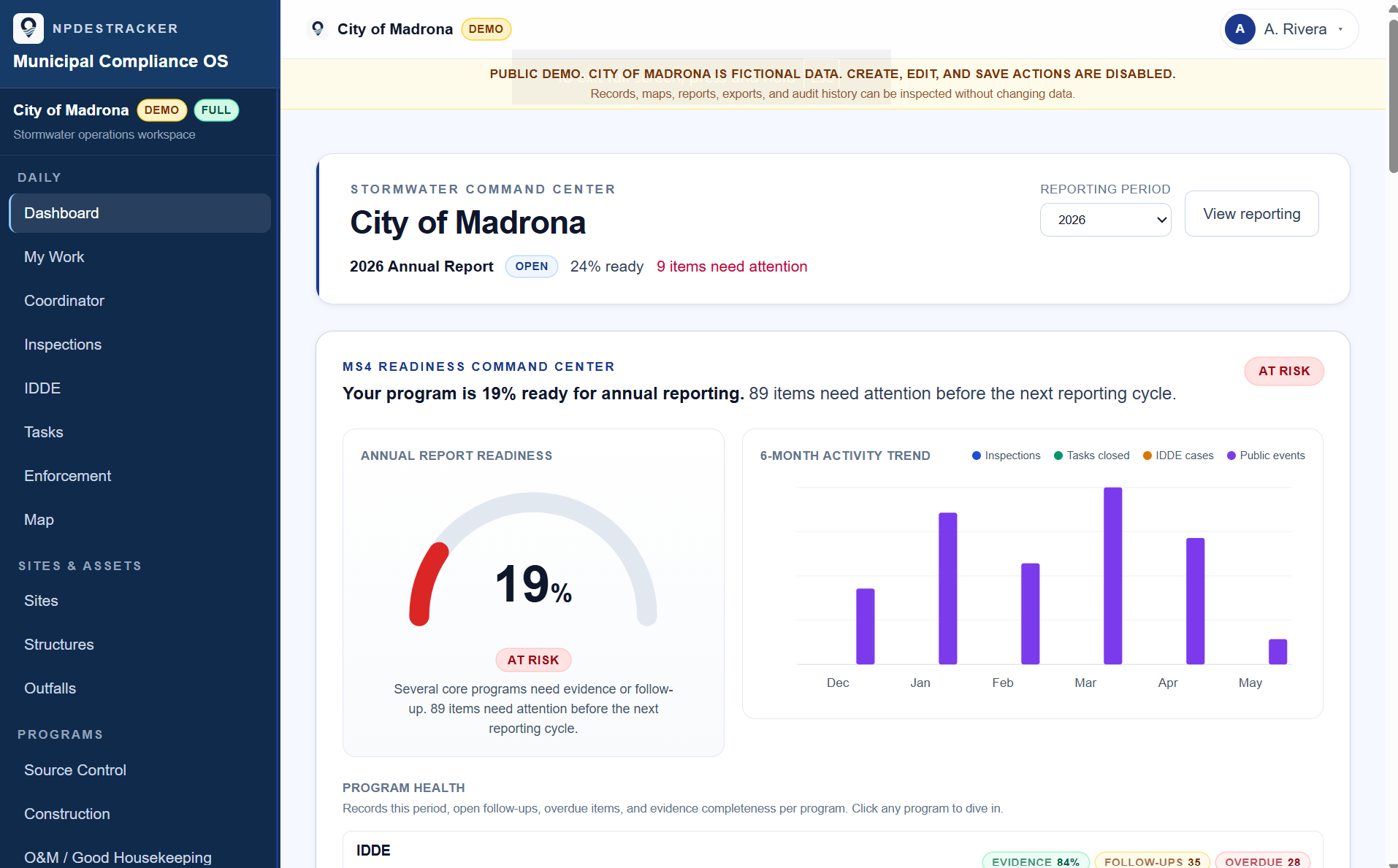
Tour a fully populated, fictional City of Madrona workspace. Review completed inspections, findings, follow-ups, tasks, assets, notices, replies, linked evidence, and a sample annual report. The public tour is read-only. Only the map can be explored. No signup, live municipal data, email delivery, or agency submission.
- Guided 60-day Evaluation
- $999 · 60 days + applicable tax
- Small MS4
- $1,499 / year + applicable tax
- Full pricing
- Six plans →
What you can do in NPDESTracker
Four workflows the coordinator runs every week.
Inspection records
One record per inspection with site context, photos, GPS, deficient findings, and the follow-up task. What the coordinator and auditor read later.
Notices and replies
Draft notices, log replies on the inspection record, and prepare printable letters for physical mailing. Notices, replies, and follow-up tasks stay connected to the inspection that prompted them.
GIS context
Outfalls, BMPs, and sites on a live map. Imports GeoJSON, shapefile, and CSV with lat/lon. Designed to coexist with ArcGIS Online, ArcGIS Enterprise, or QGIS.
Reporting evidence
Counts and narratives trace back to the inspections, IDDE incidents, BMP records, and outreach activities that produced them. Readiness rollup surfaces what is complete and what is outstanding.
The public sample workspace shows the daily overview experience. Full inspection creation, notices and replies, reporting evidence, imports, exports, setup, and admin workflows ship in the product and are walked through on request.
Where NPDESTracker sits
Between a spreadsheet stack and a heavy enterprise rollout.
NPDESTracker is not a generic utility asset platform. It is built around MS4 stormwater compliance work: inspections, weather-assisted inspection fields, sites and contacts, yearly inspector assignments, printable notice letters and emailed notices with replies logged in the inspection record, follow-up tasks, behavior change campaign tracking, GIS context, reporting evidence, imports, exports, and admin tools. Most MS4 programs do not need a multi-month vendor-led rollout.
Today, for many programs
Spreadsheet stack
- Low software cost
- Records scattered across folders, inboxes, photos, and spreadsheets
- Annual report assembly depends on whoever remembers where things live
Practical MS4 platform
NPDESTracker
- Transparent pricing, self-serve sample workspace
- Inspections, printable notice letters, emailed notices with replies on the inspection record, follow-up tasks, and reporting evidence stay connected
- Configurable workspace with custom modules for local workflows, no multi-month rollout
- Readiness dashboard, MS4 Metrics, and audit log built on your tenant's own records, with no cross-city benchmarks
Vendor-led deployment
Heavy enterprise rollout
- Longer implementation timelines
- Vendor-led configuration and setup
- Heavier contracts and procurement scope
The sample workspace is a read-only tour on fully populated, fictional Washington Phase II data; only the map is interactive. The full interactive product, including inspection creation, notice drafting and delivery, replies, reporting evidence, imports, exports, setup, and admin, is shown in the guided walkthrough.
A short walkthrough
Two views from the demo, said plainly.
See what's still open. Draft the narrative. Keep the records connected.
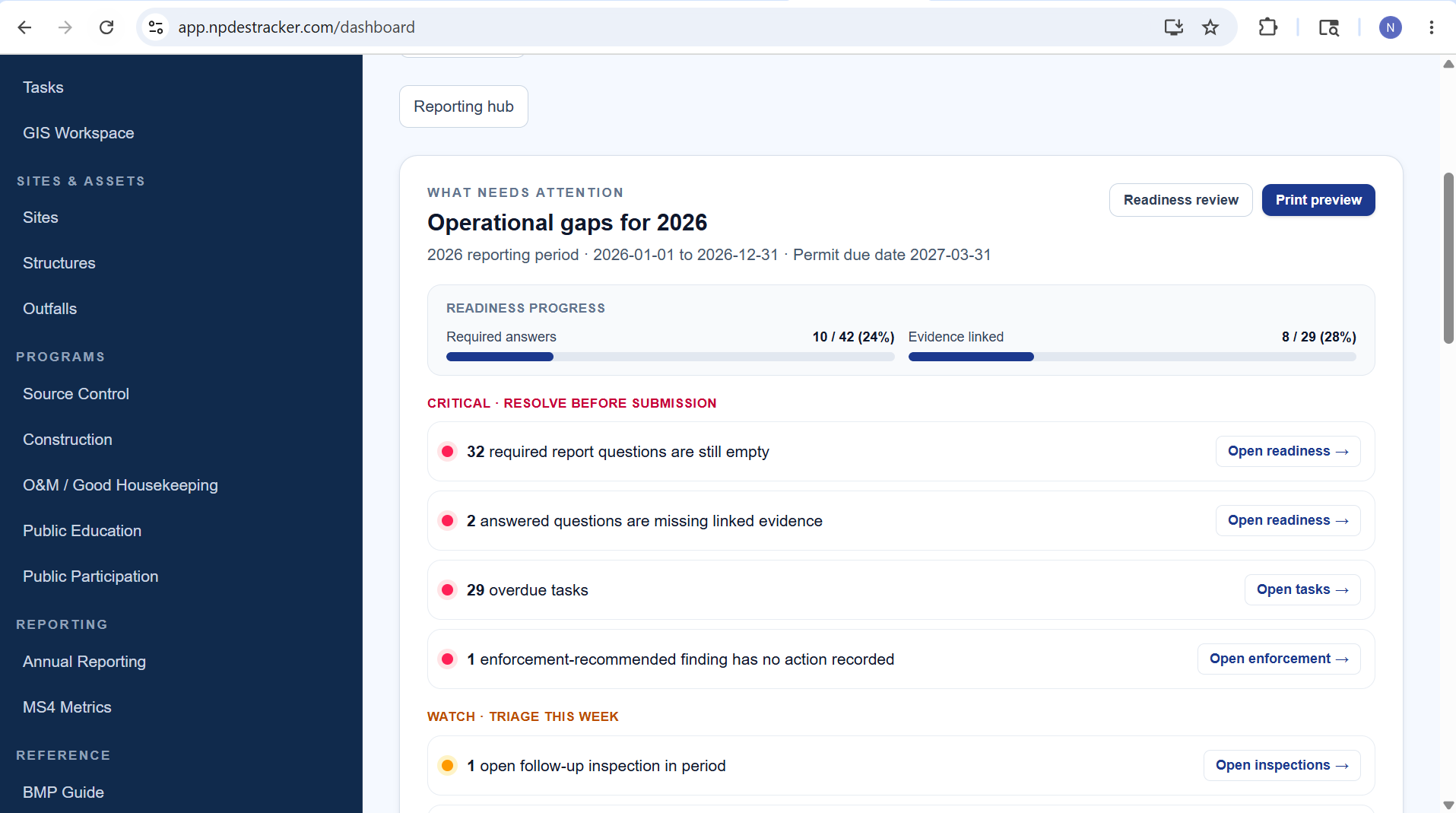
See what is open
Operational gaps for the year.
Required answers, linked evidence, overdue tasks, and unresolved findings live on one view, with deep links into the underlying records.
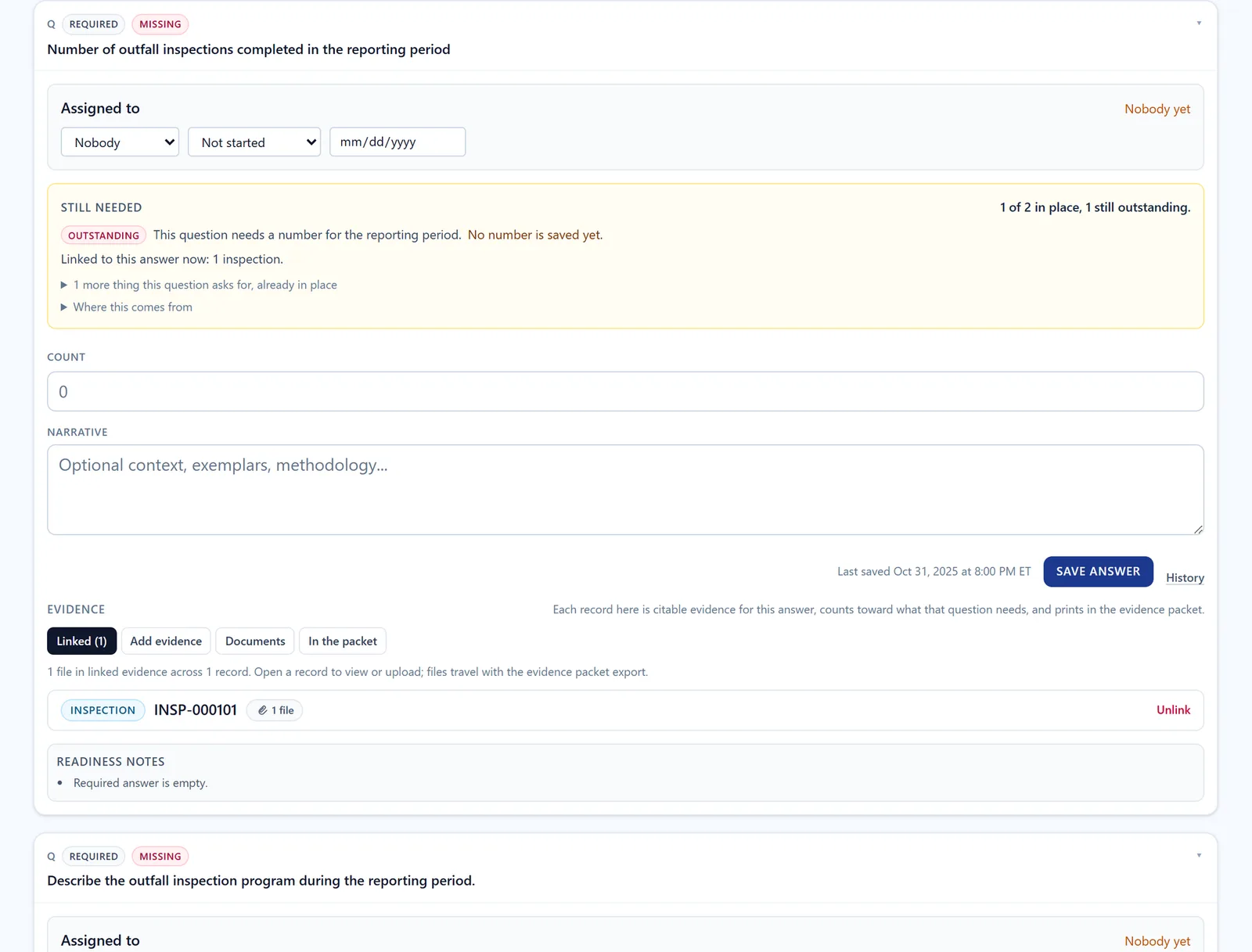
Draft the narrative
Report language starts from linked records.
Draft report language from linked records is optional and staff-reviewed. Every saved answer is approved by staff. The workspace does not submit, certify, or replace staff review.
Built around the work
Built for the records MS4 teams already manage.
- Inspections, complaints, contacts, tasks, and reporting evidence stay connected.
- Staff can browse the sample workspace before buying.
- Configuration is available without starting from a blank system.
- Records stay yours: CSV, JSON, and GeoJSON exports on every tier.
Configurable by your municipality
A stormwater tool you can shape, not another rigid inspection app.
NPDESTracker is built to be configured by the people who run the program, not by a vendor on contract. Your team shapes modules, field labels, dropdowns, and small custom modules around the way your city actually works.
01
Your permit's field names
Rename labels and headings so the inspection form reads the way your team and your state agency already write it.
02
Catch basins your way, not ours
Module toggles and configurable fields per inspection kind. Turn on what your program runs, leave the rest off.
03
Dropdowns that read like your team writes
Edit BMP types, finding categories, and enforcement-action dropdowns so the choices match how your program describes the work.
04
Records you can export when the contract ends
Standard format exports out of the box (CSV, JSON, GeoJSON where applicable). Your records stay yours.
Configuration is built into the platform. Modules, fields, dropdowns, terminology, exports, and workflows can be shaped around how a program works, no custom build required for the everyday changes.
Scoped custom work is available for agencies that need a specific form, module, workflow, or report. We define the scope in writing before kickoff.
See configurable stormwater software for the full breakdown, or the platform configuration section.
Why teams take a look
Built for MS4 work, not generic utility ops.
Purpose-built for stormwater programs that need cleaner records, faster follow-up, and a better way to keep inspection evidence connected.
Built from municipal stormwater inspection and NPDES program experience
The workflow is shaped by source control, private stormwater, IDDE, FOG, GIS, weather-assisted inspection fields, printable notice letters, yearly inspector assignments, follow-up tracking, and annual-report evidence work.
Fictional sample workspace, open to anyone
A public sample workspace tour on fully populated, fictional City of Madrona data runs at app.npdestracker.com/demo. No signup, live municipal data, email delivery, or agency submission. Anyone on the team can review the workflow before a conversation. The tour is read-only; only the map is interactive.
Guided walkthrough available by request
Interactive inspection creation, Notice / Letter drafting and delivery, message replies, task completion, reporting evidence, imports, exports, setup, and admin tools ship in the product. The public sample workspace is a read-only tour of completed records; a guided walkthrough covers the rest of the workflow on request.
Designed around MS4 compliance work
Inspections, sites and contacts, Notice / Letter workflows, message replies, follow-up tasks, map and GIS context, reporting evidence, imports, exports, setup, and admin, not generic utility asset management, work orders, or maintenance scheduling.
Tenant-scoped workspace model
Each agency runs in its own workspace and audit trail. Operational analytics (MS4 Metrics, the audit log workspace, IDDE response timelines, and readiness rollups) run on your own records and stay inside your tenant. NPDESTracker does not benchmark your program against other cities, does not rank inspectors, and does not sell customer data. Records export as CSV, JSON, and GeoJSON on every tier so the data stays portable.
No customer data in the public sample
The public sample workspace uses a fictional Phase II program. No real city's records, contacts, or sites are exposed to anonymous visitors.
What to evaluate in the sample workspace
Questions a stormwater coordinator should be able to answer.
After walking the sample workspace, a stormwater coordinator should be able to answer the questions below, what the product is built to make easier on day one.
Question
Can inspectors create records quickly?
The inspection form, photos, GPS, and a follow-up task should land on one record without switching tools or re-typing site context.
Question
Can coordinators find unresolved follow-ups?
Overdue tasks, open complaints, and inspections without a recorded action should surface in one place, not five spreadsheets and an inbox.
Question
Can notice and reply history stay attached to an inspection?
Draft and emailed notices, printable notice letters for physical mailing, and replies logged in the inspection record should live on the same record thread that started the enforcement chain. Postmark-backed email sending when configured.
Question
Can annual reporting evidence be easier to assemble?
Counts and narratives should trace back to the inspections, IDDE incidents, BMP records, and outreach activities that produced them, not reassembled from memory each March.
Feedback or a guided walkthrough request goes to admin@npdestracker.com.
Four ways in
Browse the sample, book a walkthrough, run a Guided Evaluation Workspace, or subscribe to an annual plan.
NPDESTracker supports inspections, weather-assisted inspection fields, sites and contacts, yearly inspector assignments, printable notice letters and emailed notices with replies logged in the inspection record, follow-up tasks, map and GIS context, behavior change campaign tracking, reporting evidence, setup, imports, exports, and admin tools. The public sample workspace is a read-only tour on fully populated, fictional data. No signup, live municipal data, email delivery, or agency submission. Full inspection creation, printable notices, emailed notices and reply logging, reporting evidence, imports, exports, setup, and admin workflows are walked through on request. When you're ready to evaluate on your own program, the $2,500 Guided Evaluation Workspace + applicable tax runs the platform on your data, introductory pricing while we onboard early municipalities; from there, annual plans start at $1,499 / year + applicable tax.
Sample workspace
The public sample workspace is a fully populated, fictional City of Madrona tour: read-only Dashboard, Inspections, My Work, Map & Assets, Messages & Notices, and a sample Annual Report Showcase with prefilled answers, completed records, and linked evidence. Only the map is interactive. You cannot create, edit, submit, or send. Deeper setup, imports, and admin ship in the product and are walked through on request.
Start a Guided 60-day Evaluation
Guided 60-day Evaluation, the focused evaluation path for small teams.
Run NPDESTracker on a slice of your real program. Evaluation workspace, your data, kickoff call to set it up.
Seven plans from $0 to $18,000/year + applicable tax on paid plans, sized by users. See full pricing →
Want the day-by-day plan first? Read the 30-day implementation plan.