
Stormwater field inspection software
Stormwater Field Inspection Software for MS4 Teams.
A connected mobile-web inspection workflow for field staff. Structured forms, photo and GPS behavior, and field markups should be verified on the agency's devices during evaluation. A production offline mode and native field app are not currently offered.
01 · Who this is for
For inspectors working the field.
Field inspectors at Phase II MS4 programs spend their day walking sites, opening manhole lids, walking outfalls, and writing it down. NPDESTracker provides a connected web record for the form, follow-up task, and configured field evidence. Photo, GPS, and field-markup behavior varies by device and must be verified during evaluation.
The responsive web interface can be evaluated on connected phones and tablets. Loading and saving records requires connectivity; a production offline mode and native field app are not currently offered. A private demonstration on your own workflows is the usual starting point; the annual inspection tiers are on the pricing page.
A look at the workspace
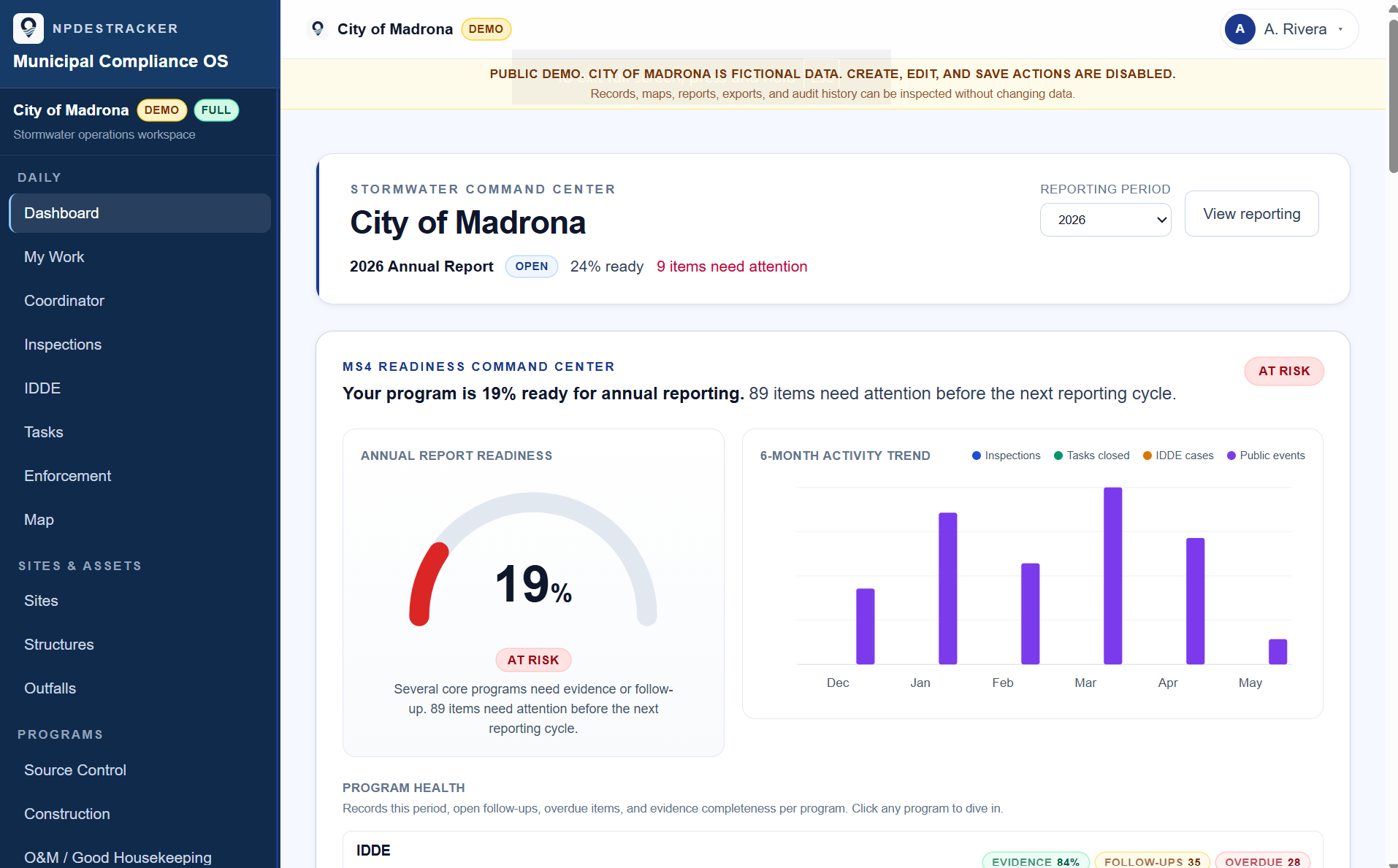
See how a sample MS4 workspace connects sites, inspections, tasks, contacts, enforcement drafts, GIS context, and reporting evidence.
02 · Field workflows supported
The kinds of work that happen outside.
The structured form differs by inspection kind. The map, the follow-up tasks, and the field markup layer behave the same regardless. The full inspection workflow is on the inspections page.
Field inspection kinds
- Construction Stormwater inspections during active build-out
- Source Control inspections at industrial and commercial sites
- IDDE field visits, dry-weather screening, and source-tracing
- O&M / Good Housekeeping inspections at municipal facilities
- Post-construction BMP inspections on accepted assets
03 · What inspectors do in the field
Capture once, on the record.
On a connected phone or tablet, review the last inspection and test the structured form, device photo and GPS behavior, field markup layer, and draft-notice workflow. These device-dependent capabilities should be verified during evaluation, and saving requires connectivity.
In the inspector's day
- Sites and assets on a map the field staff actually use
- Structured forms per inspection kind on a phone or tablet browser
- Photo and file attachment behavior verified on the agency's devices during evaluation
- Browser geolocation behavior verified on the agency's devices during evaluation
- Tasks for deficiencies, return visits, and cleanup checks
- Field markups drawn in the field as a separate exportable layer
- Draft notice templates from the inspection record
- CSV and GeoJSON exports of field records and evidence
04 · What supervisors see
What field work happened, and what is overdue.
My Work surfaces personal load. Overdue and due-soon field inspections bubble up across the program. Enforcement records link back to the field inspection that triggered them.
What supervisors see
- My Work view that surfaces what each user owns
- Overdue and due-soon field inspections across the program
- Enforcement tracking linked to the inspection that triggered it
- Exportable inspection histories for internal review and recordkeeping
Scope: NPDESTracker does not submit reports to any state agency and does not certify compliance. Optional drafting tools are staff-reviewed. See Terms for the full posture.
06 · FAQ
Frequently asked questions.
Honest answers to the questions that come up most often.
Does the field inspection workflow work on a phone in the field?
The responsive web interface can be evaluated on connected phones and tablets. Loading and saving records requires a reliable connection. A production offline mode and native field app are not currently offered; verify the connected workflow on your agency's devices during evaluation.
How does GPS capture work?
Where the configured workflow and device support it, the browser can request geolocation for the inspection record. Permission, accuracy, and photo behavior vary by device and browser, so GPS capture must be verified on the agency's devices during evaluation.
Can field staff draw missing assets like catch basins or pipes?
Yes. Field markups for missing catch basins, pipes, ponds, or field observations are drawn in the field and saved on a separate exportable layer. The markup layer does not write into the authoritative GIS; it exports as GeoJSON for the GIS team to review.
What happens if connectivity drops mid-inspection?
Do not rely on the production web app as an offline field recorder. Loading and saving records requires connectivity, and unsaved work may be lost if the connection drops. A production offline mode and native field app are not currently offered.
How does field work tie back to the office side?
The same inspection record is what the office side sees on a desktop. The supervisor's My Work view surfaces overdue and due-soon tasks across the program. Enforcement records link back to the field inspection that triggered them.
Is there a demonstration focused on field workflows?
A private demonstration on your own workflows is the usual starting point. It walks through inspections, tasks, My Work, field markups, draft notices, enforcement tracking, and exports. It is not a purchase; the annual plans are on the pricing page.
Related inspection software pages
The rest of the inspection cluster.
Each page covers a focused slice of the inspection workflow. Pricing is the same across the cluster: Inspection Starter or Inspection Team for the annual tier, with a private demonstration on request.
stormwater inspection software
The overview landing page for MS4 inspection teams.
OpenMS4 inspection software
Permit-aligned inspection workflow across MCM 3 through MCM 6.
Opendigital stormwater inspections
Replacing the PDF + folder + spreadsheet stack with one record.
OpenIDDE inspection software
Complaint to closure on one thread per incident.
Opensource control inspection software
Industrial and commercial site inspections with re-inspection cadence.
Openconstruction stormwater inspection software
Active build-out, rainfall-triggered, and BMP findings on one record per visit.
OpenWalk a field inspection on sample data.
Open the read-only Daily demo on a phone or tablet to review responsive layout, or request a private demonstration to verify connected field capture on your agency's devices.