
NPDES annual reporting software
NPDES annual reporting software for municipal stormwater programs.
A workspace where the records your program creates during the year stay linked to the report questions they support. When reporting season arrives, counts come from records, narrative answers reference the underlying evidence, and the coordinator spends time reviewing instead of reconstructing.
01 · A view of the year you already worked
The annual report opens as a view of the year.
Phase II MS4 programs do the work every month of the year: inspections, IDDE incidents, outfall screening, BMP records, outreach events, public meetings, and enforcement actions. NPDESTracker captures each one as a typed, structured record the moment it happens, with photos, GPS, partner organizations, and follow-up tasks attached.
When the annual report opens, it reads from those records. Counts come from inspections, IDDE cases, and BMP records logged through the year. Linked evidence stays attached for review. The narrative is sketched from the records already on the question, not from a blank cell.
- Spreadsheets that have to be reconciled against a binder
- Photo folders that are not labeled by inspection or by date
- Email threads that hold the source of truth for an enforcement decision
- Shared drives where last year's report lives next to a draft from 2022
- GIS exports that no one can match up with the inspection list
A look at the workspace
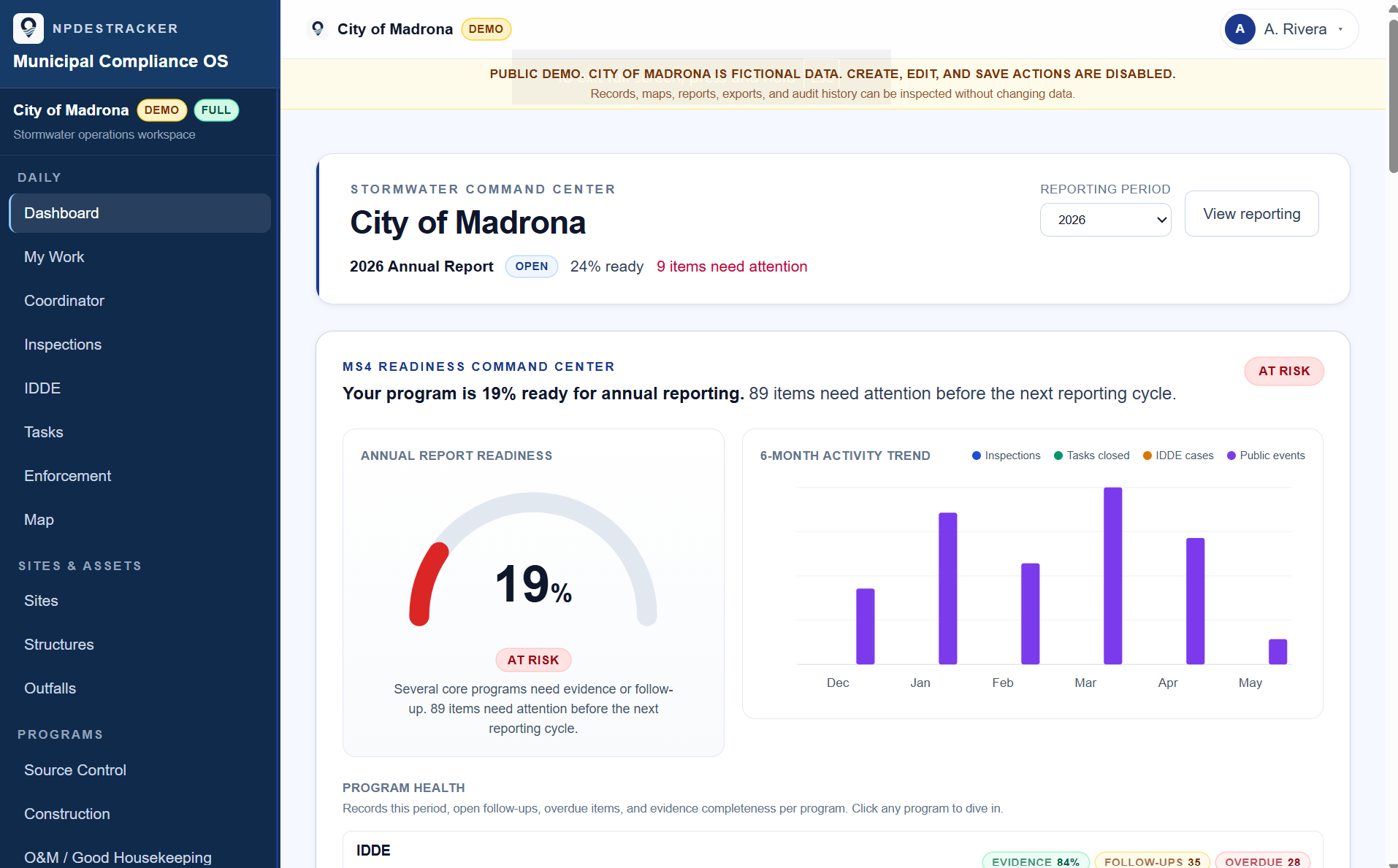
See how a sample MS4 workspace connects sites, inspections, tasks, contacts, enforcement drafts, GIS context, and reporting evidence.
02 · Records, linked to permit work as they happen
The shape of the records is most of the value.
NPDESTracker captures the work your program is already doing as typed, structured records. Each inspection, IDDE incident, outreach activity, BMP record, and enforcement action sits on its own typed shape, with photos, GPS, partner organizations, and follow-up tasks attached. The records connect to each other where the permit asks them to. The annual report reads from those connections, instead of asking a coordinator to remember them.
Records that feed the annual report
- Construction site inspections, deficient findings, and follow-up visits
- Source control and industrial inspections with photos and corrective actions
- Operations and maintenance inspections on catch basins, vaults, and outfalls
- Post-construction BMP inventory with inspection history and ownership
- IDDE complaints, screening visits, source tracing, and closure records
- Outfall inventory and dry-weather screening rounds
- Public education and outreach activities with audience, channel, and reach
- Public participation events, comment periods, volunteer hours, and outcomes
- Behavior change campaigns with baseline, outreach activities, and follow-up
- Enforcement actions tied back to the inspection or complaint that started them
- Photos, GPS coordinates, and document attachments linked to the record they support
- Tasks and corrective actions that closed the loop on deficient findings
03 · Counts come from records, not from memory
The annual report opens as a view of the year.
When the annual report opens in NPDESTracker, the counts you would otherwise type in are already computed from the underlying records. Construction inspections in the reporting year, post-construction BMPs inspected, IDDE incidents resolved, outfalls screened, outreach activities completed, public participation events held, and volunteer hours logged are all sums of the records you already kept.
Each count links back to the records that support it. If a state agency reviewer asks about a number, the answer is one click from the report. Linked evidence stays attached for review. The full annual reporting workflow is on the reporting page.
04 · Smart Draft: assistive narrative drafting
A first-pass paragraph, drawn from what is already linked.
The hardest moment in annual reporting is the blank cell. A coordinator opens an MCM 4 question and tries to recall what construction inspections happened in October, who closed the deficiency on 4th Street, and which appendix the question is asking about. The records exist. They are scattered. Smart Draft is an assistive drafting feature inside the annual report workspace that helps start the answer from the records already linked to the question, instead of from a blank field.
Smart Draft pulls counts, dates, partner names, and channel mixes from the linked records and produces a first-pass narrative paragraph. The coordinator reads the draft, confirms the totals, edits the parts that need judgment, and saves the final language. Smart Draft does not submit, certify, lock, or replace staff review. The full disclosure is on the Smart Draft page and the Smart Draft disclosure.
Scope: NPDESTracker does not submit reports to any state agency and does not certify them. Staff review and approve every saved answer. Smart Draft is assistive. See Terms and Smart Draft disclosure for the full posture.
Further reading
- WorkflowMS4 annual reporting software: how each MCM section pulls from the records you already kept
- WorkflowStormwater annual report evidence tracking: photos, GPS, attachments, and linked records
- ProductAnnual reporting module: every number linked to a record, with print-friendly preview
- WorkflowIDDE complaint tracking software: intake, classification, follow-up
- OverviewMS4 compliance software for municipal stormwater programs
See the annual report workspace on sample data.
The public demo unlocks Dashboard, My Work, Coordinator, Inspections, Sites, Outfalls, Contacts, Organizations, Tasks, Map, and read-only Setup on fully populated, fictional records. It is read-only except for Map; Messages & Notices, Annual Reporting, creation, editing, submission, and sending are locked. A private demonstration shows the interactive product on your own program's workflows.